eMate data transfer. Bring a packed lunch.

Yes, my eMate is now actually useful, but I had a bunch of fun figuring out how to get data onto and off of it.

I started out by moving data back and forth with a plain old serial cable. I bought the bits to make one, but then a kind reader sent me his old Maclink cable for free!

And, after trying almost everything else, I'm back with the serial cable.

If you want to move documents - as opposed to contacts and calendar entries - to and from a Newton of any flavour, my official recommendation is to stick with serial and save yourself the pain.

But, I hear you say, the eMate has an infrared transceiver, which can talk to standard IrDA things if you install some software!

Yes. Sort of.

To enable IR data transfer, I did as I was told and used the serial cable and Newton Connection Utilities (which is what you use on Windows for serial document transfer as well) to install a bunch of stuff from 40Hz. I installed IC/VC and Neo and Nitro and Ntox and NHttpLib, not all of which were necessarily entirely essential for simple document transfer, but what the heck.

Then I tried to get the eMate to to connect to a PC, only to have it error out at the precise moment it connected, every time. Yes, even if I used the OBEX:IrXfer option, as instructed. This happened with a desktop machine with a USB IrDA interface; it also happened with my ThinkPad.

You actually can transfer data from a PC to an eMate even when it's doing this. What you have to do is kind of trick it, by starting a transfer (which will immediately fail) so Windows lets you pop up the what-file-would-you-like-to-send requester, then selecting the file you want, and starting another transfer. Then you click the OK button just as the connection happens... whereupon it works. For that one file transfer. Then it instantly disconnects again.

(I was sidetracked for a while by the instruction to run "irftp", which is a program that exits silently every time I run it, presumably because it sees no IR connection, because of the instant-disconnect problem. Oh, and if you transfer a plain ASCII text file to an eMate it won't be able to read it, unless you install plain text "stationery" as well. Fun!)

All of this is purely academic, though, because there's no trick you can use in the other direction. If you've got this problem, you can't send anything back from the eMate to the PC via IR.

Neo is supposed to "convert [an] object to text and send it", but all it ever actually does for me is convert an object to the generic eMate errors -8007 and -48205, and send nothing.

Perhaps all of this 40Hz stuff does actually work if you want to sync address book and calendar data, but I just wanted basic file transfer, and it wasn't happening.

You can also, apparently, use some Orinoco 802.11b cards with an eMate, and wired Ethernet cards too. But the Orinoco driver only works if you install Newton Internet Enabler, which is for... accessing the Internet, and doing other perverse things. Not transferring data from other computers. Well, not unless you do something ludicrous like transferring your documents via e-mail and installing a mail client on the eMate.

There's also commercial software that lets you use a CompactFlash card in a PCMCIA adapter as storage for a Newton device, instead of the old "linear" PCMCIA cards that work natively in these devices. I'd almost certainly be able to do this, since my dusty-old-stuff drawer contains the 8Mb version of a 16Mb card that's on the compatibility list, but it wouldn't help me much either, since the files the eMate put on the card would be in Newton Note format and I'd have to translate them somehow to access them on my PC anyway. Might as well hook up the serial cable and translate on the fly.

So, verily, did I say Screw It, and go back to the serial cable.

(I'm using the serial cable with my old ThinkPad, which is the handiest computer I've got that has a real serial port. I think Newton Connection Utilities will work with a USB-to-serial adapter, but I haven't tried it. For a bigger dose of old-stuff-on-new-hardware shenanigans, check out this page about running Windows 1.01 on 2005 hardware.)
The whole Scout troop can use it at once

Every now and then someone who's read the stuff I wrote about Swiss Army knives writes to make sure I know about the ridiculous Victorinox super-knives, the SwissChamp XLT (which is just about still usable) and SwissChamp XXLT (which is really just a showpiece, though every now and then you find one on sale for a surprisingly reasonable price because some store accidentally got ten in, thinking they were products a human hand could actually hold).

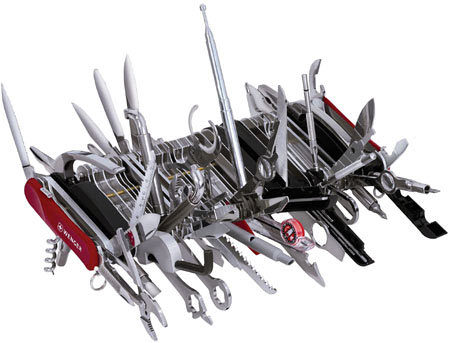
Wenger, the now-wholly-owned-by-Victorinox second manufacturer of "genuine" Swiss Army knives, would appear to now have one-upped Victorinox in the monster-knife stakes, with...

Wenger Giant

...the Giant.

It's only a thousand dollars if you buy online!

(I'm pretty sure that one of those big plastic shop-window Swiss Army knives with the motorised blades that slowly go in and out will cost you rather less than the Giant, and be just as useful.)

This just in: Laws o' physics still unbroken

Whaddaya know - another compression scheme that violates rules of information theory has turned out to be a great big scam. The only part of this that surprises me is that I'd never previously heard of this Brent Kovar and his particular take on the broadband-down-a-thin-straw idea.

(For more shenanigans of this sort, check out the last letter in this column.)

Overlord update

I've played enough of Overlord now to get a proper feel for the game (one of the seven bosses dead, three of the four minion colours collected). I am continuing to like it.

The PC control system works pretty well. The console version of the game uses an analogue stick to let you tell your minions where to go, on the occasions when you're not just saying "go in the direction I'm pointing", but need to steer them around the map. The PC version lets you do this by holding both mouse buttons and moving the mouse. This usually does not result in half of your minions drowning.

The different flavours of minion are also pretty easy to manage, because the game deliberately limits you to ordering one type around at a time, or telling them all to move at once. I presume they were tempted to include some kind of RTS-type grouping so you could order two or three flavours around in a group; I'm glad they didn't, if only because that would have further tempted them to make fights you could only win by doing that.

The level design is also good. The levels so far look like the kind of "natural layout" game levels in which you're forever wandering around places you've already been trying to figure out where the hell you need to go next, but they are not in fact that kind of level. Which is good, because there's no map display.

The level structure - move this to access that, get a shortcut back to the start when you get to the end, all that stuff - is also competently done.

I've seen a couple of bugs - the game locked up once, and there's other occasional oddness like minions that're carrying something getting stuck on an obstacle even after you've removed it. The bugs are easy to work around, though.

Back in the real world, I keep feeling the urge to order our cats to charge out, kill something, and bring back treasure.

The first part's probably quite doable, but the cats unfortunately do not share my opinions regarding what constitutes "treasure".

"Dear $FIRSTNAME..."

It's not often that you get spam with this sort of clarity:

From: "Hayes, Bryan"
To: dan@dansdata.com
Date: Sat, 30 Jun 2007 03:08:14 -0500
Subject: Message subject

Message subject

%CUSTOM_CONTENT

%CUSTOM_BIZLINK

Bryan Hayes

%CUSTOM_QUOTE

Regrettably, there was no X-Mailer line with the name of a spamming program in it, so we don't get to know (possibly after some detective work) with what software "Brian" failed to fill in the form before clicking the "Send 100,000,000 e-mails" button.

(The sending server was, according to ancient tradition, a Chinanet IP address.)

I look forward with enthusiasm to the reduction in spam bandwidth consumption that'll occur when we all start getting tiny little messages that just say "%NIGERIAN_SCAM" or "%DICK_PILLS" or "%BUY_SOME_STOCK" rather than the informationally equivalent uncompressed versions.

It's good to be bad

Yes, as I anticipated, Overlord is fun. And it runs fine at decent resolution on my GeForce 7900 GT, once I disabled a couple of pretty-features in the config.

It's hard not to love a game where you come upon what is obviously Bag End, but cannot be bothered to stoop to enter the silly little round door.

Instead, you just send your minions to bash that door down, flood inside, smash and kill everything in sight, and then bring anything of value out to you.

(Ideally, you'd be picking your nose while you waited for them to return. Perhaps in Overlord II.)

Take care of the pennies...

Drop shipping comes to the common man. (Via.)

Drop shipping, where A buys a product from B and B arranges for C, the actual source of the product, to send it directly to A, is a normal business practice for many online retailers. They may keep substantial stock of lots of mainstream items on hand, but their catalogue may also include expensive low-volume items that they don't want to sit and go stale in their warehouse.

A computer dealer may get hundreds of orders a week for hard drives and motherboards and CPUs, for instance, but only sell one video projector a fortnight. If they get eight projectors in stock and have only sold two when a newer, better, cheaper model comes out, they're boned. Better to not offer stuff like that for sale at all.

If the local distributor of that video projector has their act together, though, the retailer can just act like an order processor as far as that product goes, and get the distributor to send the product directly to the customer whenever someone orders one. This can also cause problems, of course, but as long as the retailer obeys the relevant consumer protection laws - just because they never even saw the product they just sold doesn't exonerate them from having to make things right if the thing turns up broken - everybody can, and usually does, end up happy.

So that's drop shipping as it applies to $5000 video projectors. This is drop shipping as it applies to 75 cent books.

And here's drop shipping for people who don't want to keep their eBay account much longer.

EBay is also absolutely jam-packed with people selling sooper sekrit lists of incredible low-priced drop shipping sources. You know - those special companies that sell things really cheaply to Masons, and Jews, and, uh, maybe the homos too - and to you, once you've bought the list! Makes perfect sense!

Some of those outfits are just variants on the multilevel marketing scam where suckers are tricked into paying for little more than the privilege of tricking other people into paying for little more than the privilege of tricking, et cetera.

Others, while they're very good at taking money from fresh-faced new drop shipping entrepreneurs, aren't so good at ever actually sending anything to a customer.

(I bet this post'll attract some really choice Google ads.)

Alert: eMate now actually useful

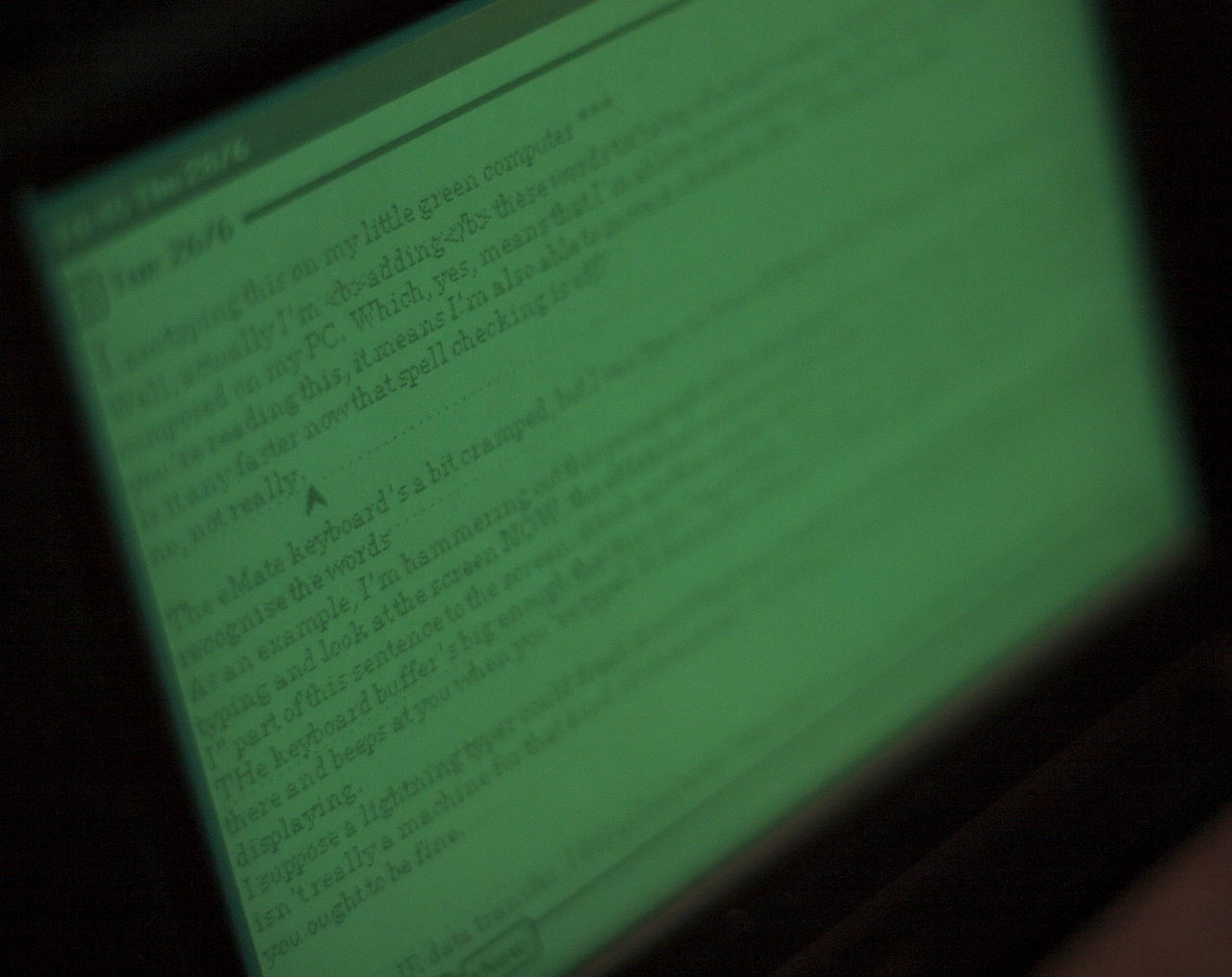
eMate screen

I am typing this on my little green computer.

Well, actually I'm adding these words to the top of a half-written block of text that I composed on my PC.

Which, yes, means that I'm able to move text from the PC to the eMate.

And if you're reading this, it means I'm also able to move it back. Which is a nice bonus.

(Here's my post about transferring data to and from the eMate. It took me a while to edit all of the cursing out of it. Precis: Use the serial cable, Luke. Don't bother with anything else.)

The eMate keyboard's only about 90% of normal size, but I can still type on it much faster than the poor little computer can squeeze small-font-size words onto its 480-by-320 bitmapped screen.

As an example, I'm hammering out this paragraph at the best speed I can manage, and when I stop typing and look at the screen NOW, the eMate has only actually gotten around to printing the "when I stop" part of this sentence to the screen. It took another seven whole seconds before it made it to the "NOW".

When you're starting a new document, the eMate Notes application is much faster. Then, it nearly keeps up with my roughly 80 word per minute typing (slowed a bit by the smaller keyboard). Once there's a significant amount of text in the document, though, things slow down.

(The dotted handwriting recognition guide lines don't make any difference to screen drawing speed, but they're unnecessary if you're only going to use the keyboard. This stationery file lets you create new notes without lines.)

Fortunately, the eMate keyboard buffer is big enough that the slow update speed isn't a problem. It's not as if the thing just sits there and beeps at you when you've typed 16 characters ahead of what it's gotten around to displaying.

I suppose a lightning typer could freak the eMate out if they really tried. But the small keyboard means this isn't really a computer for that kind of user anyway. As long as you pause for thought now and then, and don't often decide to delete the last word ("How many times did I just press backspace? Dammit, now I have to wait and see.") you ought to be fine.

This slowness also means that the eMate isn't the greatest place to do your editing, let alone HTML markup. 153600 pixels sounds like quite a lot - why, an old greyscale Palm has only 25600! - but it really only gives you about 100 characters by 23 lines of small-font text, plus menu stuff above and below.

That sounds perfectly decent, by ancient-word-processor standards. It's not as if people didn't get lots of work done on 80-by-24 text mode programs like WordStar or AppleWorks.

But text mode was fast, and the eMate's bitmapped graphics are slow.

Amigas had no text mode and some lightning-fast text editors, but that was because of their coprocessors. I think the principal strategy used by the early Macintoshes to deal with the same problem was (a) only having 1.14 times as many pixels as an eMate, and (b) encouraging patience in their users. MacWrite was a great success, but it bogged down just like the eMate when a document was more than trivially long.

(Perhaps I should add an overclocking switch to my eMate - though I'd need at least three toggle switches sticking out of the casing for the eMate to match my old Amiga 500. You didn't have a proper A500 if the RF shield inside hadn't been removed so many times that all of the little tabs had broken off, resulting in metallic boinging noises while you typed. Maximum resolution? Well, that depended on how much overscan you could cram onto your monitor, didn't it?)

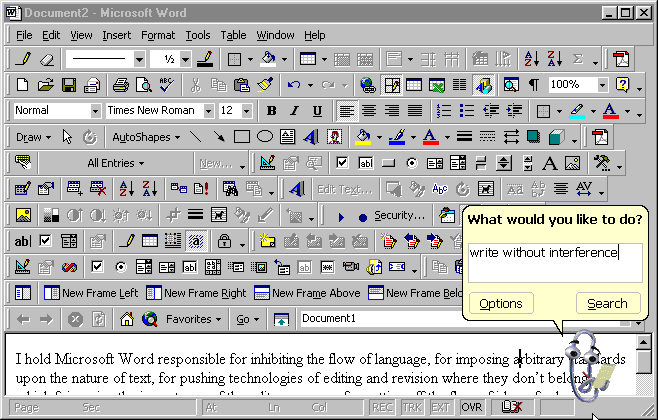
Absence of usable editing features can, of course, itself be a feature. This sort of thing is at the very core of the Write Without Interference philosophy, in which the elimination of distractions like editing or looking up hyperlinks allows you to get to the core of your thoughts both faster and better. If you know you're going to have to edit what you just wrote, put in a couple of asterisks or something and keep on going with your brain still afire with the magnificent creativity that only you can, uh, create.

See? See what I mean? I'm back on my PC, now, and I just had to take time out to find that funny link, which broke my train of thought and left me writing this paragraph instead of filling in the perfectly judged words that I intended to come after "magnificent creativity", above.

And now I've finished that paragraph, saying something else because I forgot what I intended to say, and look what a hash I made of it.